Just wanted to show how I do dapples on horses, using GIMP 2.
They will look something like this...

They have a sort-of edging around them...
So here goes

Step 1. Paste your pre-drawn horse image from MS Paint...
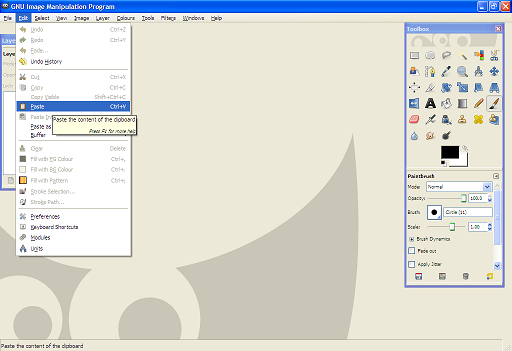
Step 2. Select
Brush tool....
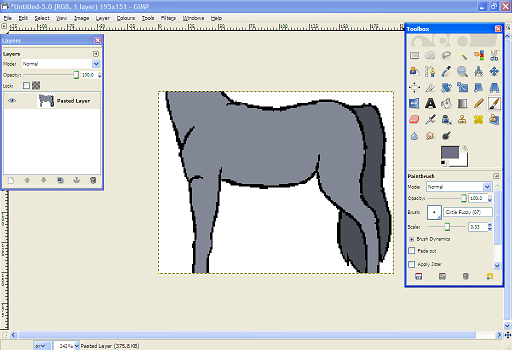
Step 3. Select your
desired dapple edging colour, which has to be slightly darker than the main body colour...
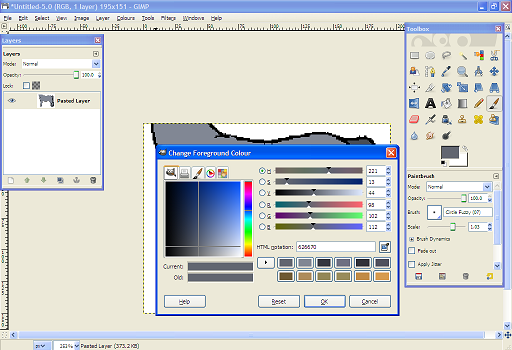
Step 4. Draw your dapples...

Step 5. Using the
Select by Colour tool, select the dapples, by clicking on one...

Step 6. Then, using the main body colour (or something lighter than the dapple edging colour)...
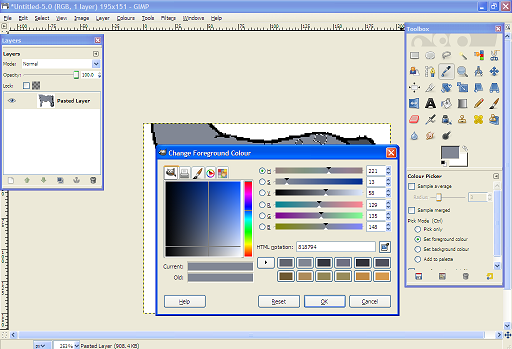
Step 7....and selecting the
Brush tool...

Step 8....
Fill in the Selected dapples.

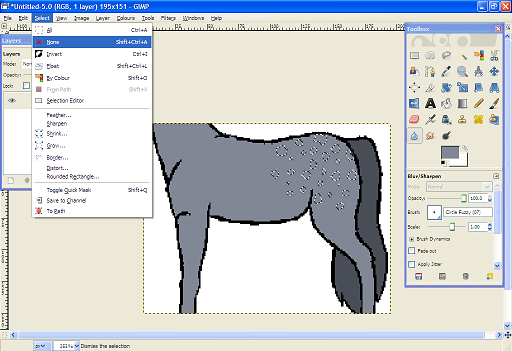
Step 9. Click
Select,
None on the task bar at the top of your Gimp screen.
 Step 10. (Result Step)
 The finished dapples!

Hope this helps!
Thanks for reading ^^