Here's a little tutorial on how to fill a lineart without any ugly pixels sticking out.
Step 1. Go to lineart layer. Press Ctrl+A to select everything.
 Step 2.
 Choose Magic Wand tool and deselect all spaces outside lineart.
 Step 3.
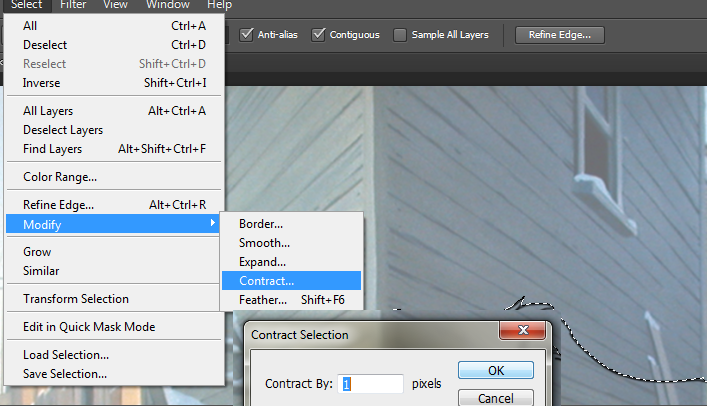
 Go to Select>Modify>Contract. Contract by 1 pixels (or more if your lineart is thick).
 Step 4.
 Use Lasso tool to deselect small spaces Magic Wand was unable to reach.
 [b]Step 5.
[/b] Go back to colour layer (with selection still on). Grab some basic colour and fill in selection.
 Step 6.
 Lock the layer for transparent pixels and have fun colouring.

I hope this was helpful.








 Thank you for posting it,Troll.

